Almost every developer has a half-finished portfolio site sitting in a repo somewhere — usually a React project with a component library that felt exciting to set up and has been “90% done” for eight months. The irony is that a portfolio site is the one project where finishing actually matters more than the tech stack behind it, since nobody evaluating it cares what it’s built with.
This is about getting a real, presentable portfolio live this weekend — not eventually, not once you’ve picked the perfect framework.
Why developer portfolios are the projects that never ship
A portfolio site has an unusual failure mode: it’s a project about yourself, built by you, evaluated by your own judgment the whole way through. That combination makes perfectionism worse than on a normal project. There’s no product manager telling you the deadline is Friday, and no user complaining that a feature is missing — just you, deciding the spacing still isn’t quite right.
The other trap is treating it like a demo of your skills rather than a summary of your work. A portfolio built to show off animation libraries and clever CSS tricks often ends up harder to actually read than one that just lists three solid projects clearly. The audience — a hiring manager skimming ten tabs — doesn’t reward cleverness; they reward finding what they came for in under a minute.
What a portfolio actually needs to contain
- Who you are and what you do, immediately. Not a paragraph — a sentence, above the fold.
- Three to five real projects, each with what it does, your role, and a link — not fifteen half-described side projects that dilute the strong ones.
- A way to reach you that isn’t buried at the bottom of a long page — email, LinkedIn, GitHub, whichever you actually check.
- Evidence you can be hired, if that’s the goal — a resume link, current availability, or what kind of work you’re looking for.
Separating “portfolio” from “coding project”
Here’s the reframe that actually gets this finished: a portfolio site isn’t a coding project, it’s a content problem with a small amount of layout. The moment you’re deep in a component architecture for your own bio page, you’ve confused the two. A one-page site builder forces that separation by design — there’s no framework to architect, so the only work left is writing the actual content, which is the part that was stalling you anyway.
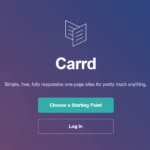
Carrd works well here specifically because it removes the option to keep tinkering with infrastructure. You pick a layout, write your three projects, and you’re done — no state management, no routing, nothing to keep “almost finishing.”
A structure that actually gets read
Lead with outcomes, not tech stacks
“Built a real-time dashboard that cut manual reporting time by 80%” gets read. “Built with React, Redux, and a custom WebSocket layer” gets skimmed past. Save the tech stack for a secondary line under each project — it matters, just not as the headline.
Link to the actual thing, not just a screenshot
A live demo or a real GitHub repo beats a static image every time. If a project can’t be shown live, a short write-up of what it did and why is more convincing than a screenshot with no context.
Keep it to one page, on purpose
A portfolio doesn’t need a multi-page site with a blog, an about page, and a contact form as separate routes. One scrollable page that covers who you are, what you’ve built, and how to reach you is easier to skim and — not incidentally — easier to actually finish.
Making it easy to keep current
A portfolio that’s accurate the day you launch it and stale six months later is a common failure mode — you change jobs, ship a new project, or quietly retire an old one, and the page doesn’t reflect any of it because updating it means touching a codebase you haven’t opened in months.
The pages that stay accurate are the ones where updating is genuinely a two-minute task: swap a project, edit a sentence, republish. If updating your portfolio requires remembering how your own build setup works, it’s not going to happen — and an outdated portfolio linking a project you no longer work on is worse than a shorter, current one.
What to resist adding
Skip the animated page transitions and the custom cursor. They’re fun to build and they add zero information density — the same hour spent on a hover animation could instead go into writing a clearer one-line description of your best project, which does far more for whoever’s evaluating you.
The domain matters more than it seems
A portfolio at yourname.com reads differently than one at a free subdomain of a page-builder service — not because anyone consciously judges the URL, but because a custom domain quietly signals that this is a maintained, permanent thing rather than a quick placeholder. If you already own your name as a domain, point it here; if you don’t, it’s worth the few dollars a year before you start sharing the link widely.
Quick checklist
- Write a one-sentence description of what you do, for the top of the page.
- Pick your three to five strongest projects — cut the rest, even if it feels like a waste.
- Link to something real (live demo or repo) for each project, not just a screenshot.
- Put your contact info somewhere obvious, not buried at the bottom.
- Treat it as a content task, not an engineering one — resist building infrastructure for your own bio page.
A finished portfolio that undersells you slightly beats an unfinished one that would have been perfect. Ship the version you can build this weekend — you can always iterate once it’s actually live and doing its job.
 Tested firsthand