
A waitlist page sounds like the simplest possible thing to build — a headline, an email field, done. Then you start thinking about where the emails go, and suddenly you’re evaluating a backend, a database table, maybe an API route, for what’s functionally a single list of addresses you’ll email once when you launch.
This is about matching the effort to what a waitlist actually needs, which is a lot less than it feels like when you’re staring at a blank Next.js project.
What a waitlist is actually for
A waitlist has one job: capture enough interested people that launching to an empty room isn’t your first impression. It’s not a CRM, it’s not a marketing funnel, and it doesn’t need segmentation, tagging, or analytics on day one. Building all of that before you have a single subscriber is solving a scale problem you don’t have yet.
The other thing a waitlist quietly does is validate interest. If a simple page with a clear pitch can’t get anyone to leave an email, that’s useful information — arguably more useful than the emails themselves, and it costs you nothing to learn early instead of after building the actual product.
What it actually needs
- A clear pitch. One or two sentences on what the thing is and why someone would want early access — not a full feature breakdown.
- One field: email. Anything more (name, company, use case) reduces conversions for information you don’t need yet.
- Confirmation that it worked. A simple “you’re on the list” message — silence after submitting reads as broken, even when it isn’t.
- Somewhere the emails actually land that you can export later, without needing to build storage yourself.
Why you don’t need a backend for this
The instinct to build a real form-to-database pipeline for a waitlist is usually premature — you’re building infrastructure to solve a problem you might not have for months, if the product ships at all. A page builder with a built-in form that just works removes the decision entirely: no API route, no database schema, no deciding between three email-service integrations before you’ve validated anyone wants the product.
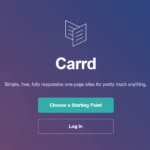
Carrd handles this directly — forms are built in, submissions land somewhere you can access, and the page itself takes less time to build than researching which backend approach to use would have.
Getting the pitch right
Specificity beats hype
“The future of X” tells a visitor nothing. “A status page you can update from your phone in ten seconds” tells them exactly what problem it solves and lets them self-select in or out immediately — which is exactly what you want at this stage.
Say what “early access” actually means
Will early subscribers get a discount, a beta invite, or just an email when it launches? Being explicit sets real expectations and avoids a wave of “wait, that’s it?” replies when you finally do email the list.
Don’t ask why they want it — yet
It’s tempting to add a “what would you use this for?” field to gather research. It’s also the single biggest drop in conversion on a waitlist form. Save qualitative research for a follow-up email to people who already committed — don’t make it a condition of joining.
Deciding what “launch” actually triggers
It’s worth deciding, before you have subscribers, what happens to the list once you actually launch. A few options, roughly in order of effort:
- A single manual email to everyone on the list, sent the day you launch. Fine for a few hundred signups.
- A staggered rollout, where early subscribers get access first — useful if you want to load-test with a smaller group before opening up fully.
- An automated welcome sequence, which is genuinely useful once you have this validated and repeatable, and genuinely overkill before you do.
Most projects reach for the third option too early. Start with the first — you can always build the automation once you know the list is actually worth automating for.
What to skip entirely
Skip building a referral system, a “spots remaining” counter, or social sharing incentives before you have your first hundred signups. These are optimizations for a waitlist that’s already working — adding them on day one is optimizing a number that doesn’t exist yet.
Testing the page before you share it
Before sending the link anywhere, submit the form yourself and check where the email actually lands. It sounds obvious, but it’s the single most common failure mode for a waitlist page — a broken integration silently swallowing signups for days before anyone notices, because the confirmation message still shows even when the data didn’t save.
Quick checklist
- Write a specific one-to-two sentence pitch, not a vague teaser.
- Ask for email only — resist adding a second field.
- Confirm the submission worked with a visible message.
- Be explicit about what “joining the waitlist” actually gets someone.
- Skip referral mechanics and qualitative research fields until you have real signups to build on.
The point of a waitlist isn’t to build a growth engine — it’s to find out, cheaply and quickly, whether anyone cares. Keep the page as simple as the question you’re actually asking.
 Tested firsthand