
Small open-source tools and side projects tend to accumulate changes faster than they accumulate documentation. You fix a bug, ship a feature, bump a version — and there’s nowhere for any of that to live except scattered commit messages and GitHub release notes that most users will never open. By the time someone asks “wait, when did that change,” there’s no good answer.
This is about setting up a changelog before you have a full documentation site to put it in — because waiting for “real docs” is usually why the changelog never gets started at all.
Why changelogs get skipped
The honest reason most small projects don’t have one isn’t that changelogs are hard to write — it’s that there’s no obvious place to put one. GitHub Releases exists, but almost nobody outside your existing contributors checks it. A full docs site (Docusaurus, VitePress, whatever) is the “proper” answer, but setting one up just to host a changelog is a lot of tooling for one page.
So the changelog sits in commit messages, technically discoverable, practically invisible — and the first time a user needs it, usually to ask “did this break on purpose,” there’s nothing to point them to.
What a changelog actually needs
- Reverse chronological order. Newest first — nobody wants to scroll to the bottom to see what changed today.
- A version or date per entry, so someone can match what they’re seeing against what they installed.
- Plain-language descriptions, not raw commit messages — “Fixed an issue where exports failed on large files” beats “fix: export bug #142.”
- A stable URL you can link from your README, your app’s footer, or a release announcement, without it moving later.
Skipping the docs-site decision entirely
The real unlock here is realizing a changelog doesn’t need a documentation platform at all — it needs one page that’s easy to update and easy to link to. Setting up a whole static-site generator to host a single scrolling list of dated entries is solving a much bigger problem than the one you actually have.
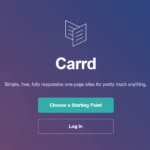
Carrd works well for exactly this — a changelog is just a page with a clear, repeatable structure, and it can be live at a real URL in less time than it takes to evaluate which docs framework to use. If the project eventually grows into needing real documentation, the changelog migrates easily; it was never coupled to the tooling in the first place.
Writing entries people actually read
Group by type, not just by date
“Added,” “Fixed,” and “Changed” as labels within each entry (a lightweight version of the Keep a Changelog convention) lets someone scanning for “did this break something” jump straight to what matters to them.
Write for the user, not for yourself
“Refactored the internal cache layer” means nothing to someone using the tool, unless it also says what they’ll notice — “faster load times on large projects” is the same change, described in terms that matter to the reader.
Link out when it’s worth the click
For a genuinely significant change, link to the relevant GitHub issue or PR for anyone who wants the full story. For routine fixes, a one-line description is enough — not everything needs a paper trail.
What to do with really old entries
As the list grows, resist the urge to delete history to keep the page short. Old entries are useful to someone debugging a problem tied to a specific version, and to anyone curious about how the project has evolved. If length becomes a genuine problem, collapse older entries into a single “earlier changes” section with a link to the full commit history, rather than deleting the record outright.
Keeping it from going stale
A changelog that isn’t updated is worse than no changelog — it actively tells users the project has stalled, even if it hasn’t. The advantage of keeping it on its own simple page: updating it after a release is a two-minute edit, not a rebuild-and-redeploy, which is exactly the kind of friction that causes changelogs to quietly stop getting updated six weeks in.
Where to actually link it from
A changelog nobody finds is functionally the same as not having one. Link it from your README’s top section (not buried after installation instructions), from your app’s footer or settings page if it has a UI, and from your release announcements themselves. The goal is that anyone wondering “what changed” finds the answer in one click from wherever they already are, not by guessing a URL.
Quick checklist
- List entries newest-first, each with a date or version number.
- Describe changes in plain language, not raw commit messages.
- Group entries by type (added/fixed/changed) if the list gets long.
- Link to your changelog from your README and your app itself.
- Keep it on a page that’s fast to update — friction is why changelogs go stale.
A changelog doesn’t need to be part of a documentation system to be useful — it just needs to exist, stay current, and be easy to find. Start with the page; build the docs site later, if you ever actually need one.
 Tested firsthand